Showing posts with label Laptops and Tablets. Show all posts

Thursday, 2 October 2014

Eject CD/DVD Off Your PC/Laptop Using Notepad..!!

Hi guys have you tried any time to Eject CD from your computer using notepad.If not what you are waiting for i am gonna show how to Eject CD from PC/Laptop Just writing a batch code in notepad.

You can show this trick to all your Friends and Family..!!

www.technotetrimania.com


Steps :

1) Open Notepad ( short cut: Windows+r type notepad press Ok)

2) Now in notepad  copy the code which i mentioned below.

Source Code : 


3) Save your file in Technotetrimania Eject CD.vbs  

4) Double Click on the vbs file to ' Eject CD ' then you will see message box then press ' OK '  

5) Its Done

That's it guys i hope you have enjoyed this article if you have any doubts feel free to ask through comments..!!

Wednesday, 16 July 2014

How to remove Subtitles Into A Movie..!!


Nobody likes mess. At least I don't. I frown upon seeing those extra subtitles or NFO files which create unwanted clutter on the drive.

What you need


- Subtitles file. Fetch it from the internet if you don't have one.
- VLC Media Player. 

Steps:


1. Click on Media from the VLC media player menu bar and then chooseConvert/Save.


2.  Add the movie file and select the check box “use a subtitles file”.

 Press the Convert/Save button.


3.  The next window pops up, where you have to mention the destination file name with the location.


In this step, put the extension with your target file name. Say, you are converting the file in MP4 format. Then give the file name as some_name.mp4. Also select the perfect video format from the Profile drop-down.


4. Finally, click on the Start button and the process starts immediately. It will take some time to complete depending on the video file size.


Once completed, run the movie and you'll be able to watch the subtitles without adding any subtitle file anymore. Enjoy.


Friday, 11 July 2014

Candy Crush Saga - Tips & Tricks..!!!


Hi friends. For few weeks, We would like to concentrate back on Games and Tricks.So,here we go with the first one, Candy Crush Saga.

How to get full lives in Candy Crush Saga?

Many times you would like to complete the particular level but you may require extra lives to complete the level or you may be out of lives. So when you are in such a situation do not wait for half an hour till you get a new life. Simple technique to get full lives is to change the time in your mobile/PC.

Trick 2: Add Color Bomb and Stripe Candy. This combination gives you most destruction an probably you can complete the level in next few moves.

Also Read: Flappy Bird  for Windows XP,7,8

We can also play this game on PC/laptop by Downloading and Installing Bluestack..!!

What can we learn from Candy Crush Saga?

Not only just playing and enjoying game, It would be good if we learn some lessons out of it. We can solve some of the difficult stages(difficult situations concerning to real world) in one single attempt.While some easy stages may require many attempts like we may not get Job after giving many attempts.

Invented by Sebastian Knuttson, CEO at king.com

Most difficult level :425

Read: 2048 Tips 

History of Game:

Most popular game in Facebook ever.King.com was founded in 2002.It was developed by fewer than 10 people. The game was initially launched in FB in April,2013.


Saturday, 5 July 2014

Change Windows Password Without Knowing Old One..!!

Hi Friends welcome back to Technotetrimania. I am gonna show you how to change your windows password without knowing old one..!!


Here are the steps:

Step 1:

Right Click on My computer and open Manage 


Step 2:

In System Tools and then open Local Users and Groups


Step 3:

Double Click on Users

Step 4:

Choose User(Your PC Name) then right click on it and then Click Set Password

Step 5:

Click on proceed button

Step 6:

Set Your New Password Now..!! Atlast your password has saved..!!


Wednesday, 11 June 2014

Best Whatsapp Tricks You Must Know..!!!


With having more than 417 million active users, WhatsApp is really one most amazing and effective cross platform messenger today. In addition to live chat , WhatsApp is coming with several mesmerizing features such as sharing multimedia files and other data with which this application is pulling a large number of Smartphone users. In fact, it has more users than Facebook and Twitter, according to a recent survey. Apart from doing some well-known and most sought-after tasks, there are some other tactics you can try in WhatsApp but you may not know.

Untold WhatsApp Tricks

1.   Last Seen Timestamp can be hidden : Majority of Smartphone users don’t like to see ‘Last Seen Timestamp’ on their timeline. Though iOS users can hide timestamp on their Apple devices by going through advanced settings , this feature was not available in Android phones till today. Now you can hide these notifications in your Android phone.

2.    Auto Image Download Can Be Disabled : Sharing files seems very amazing these days. But images are automatically downloaded in your device from the latest version of WhatsApp even if you don’t want. And it doesn’t have any option to disable it. Due to this reason, data of large amount can be consumed. Now a hack is available with which you can disable the auto image download in newWhatsApp version.

3.    Spy on WhatsApp Account of Someone Else : Even though WhatsApp is very much secured messenger app but it still has a little loophole which lets you spy on WhatsApp account of your friend directly from your own phone. Each WhatsApp account has given a separate Media Access Control (MAC) address. If any of your friends change their device their MAC address will also be changed. Hence, they will be prompted to verify their account again in WhatsApp. It means one cannot use two or more devices to access single WhatsApp messaging account. But there are still some amazing ways to access WhatsApp account of your friends and have a close look on what they are doing.

4.    Create Fake Conversation on WhatsApp : Have you ever imagined you can create fake conversation on WhatsApp that never made? So, sit back and relax and think to come out with your naughty side. You can make your own conversations in WhatsApp and prank all your buddies by sharing it to them and check out how they react by seeing it.

5.    Sharing APK, PDF and ZIP Files : More often than not, all of us get stick in some circumstances where we are required to share ZIP, APK or PDF files on this messenger. Later on, you realize that you don’t have provision in this application for sharing such types of files. Don’t worry! You can share them with some tactics.

6.    Extend Free Subscription for up to 2022 : Whether you are using Blackberry, Android, Windows, or Symbian, you can use WhatsApp only for one year. Afterwards, you can use this application by paying $0.99. But you can extend the period easily and quickly.

You can use this whatsapp on PC, Laptop by installing Bluestack..!! Click here to install..

CLICK HERE FOR MORE UPDATES..!!!!

Saturday, 24 May 2014

latest Android App's For Smartphones....!!!!

www.technotetrimania.com

The Android platform has reached glory and fame in recent times..!! Endless customisation you can do anything and everything with this Android devices running under the hood...!!!
This are the Amazing App's for you..!!!

1. Stream music from your computer to Android smartphones..!!


       The Gmote app you to stream stuff from PC to your smartphones using WiFi, particularly helpful when you're low on storage space in your device..!! The app turns your phone into a remote control for your computer, allowing you to start and control movies and music at a distance..!!!

2. Customize your user interface as you like..!!


       The stock Android wallpaper and themes lack inspiration. The Beautiful Widgets app give you one stop access to tonnes of customized and animated wallpapers that you can use on your phone making it much more interesting...!!!


3. Going retro on your Android smartphones..!!


       The most recent emulator that was developed by the programmer Yongzh is the Game Boid, which is considered to be remarkable in terms of allowing people to play as if they are playing Game Boy Advance..!!


4. Open your garage door with your Smartphone..!!


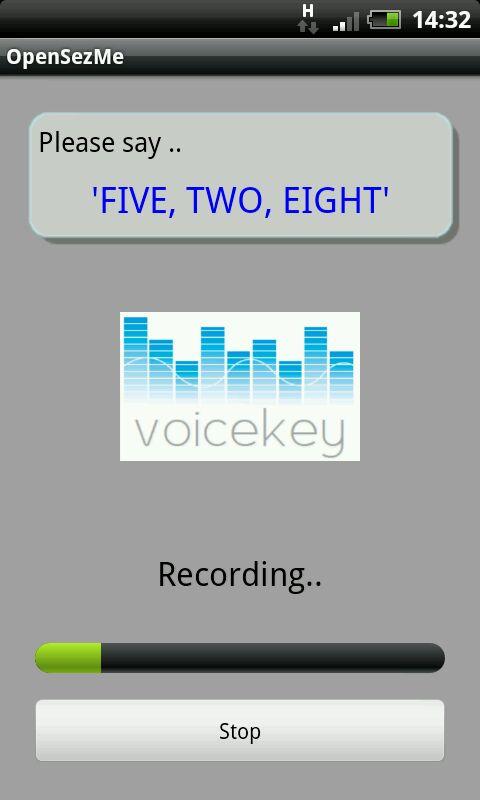
      The OpenSezMe app is a simple Android application to turn your phone into a " Virtual " garage door remote, with the requirements that the application only successfully function when/if the user is within a 1 block quadrant of his/her home, and be protected by a pin code..!!


5. Overclock your Android smartphone..!!


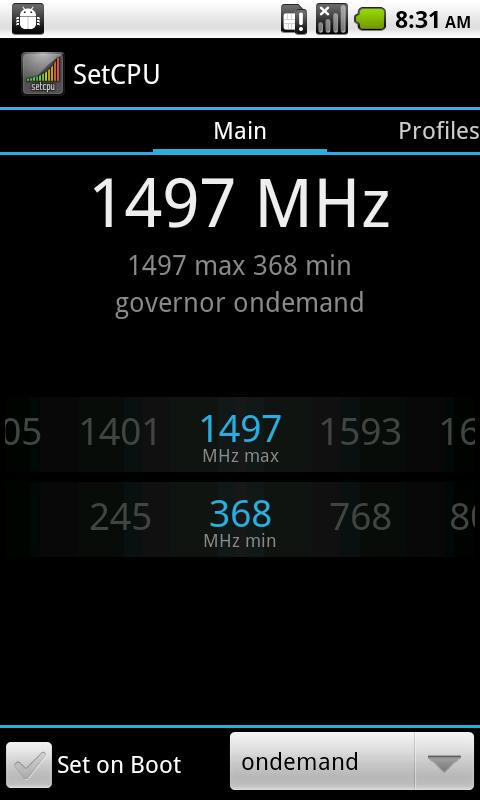
      The SetCPU app is a tool for changing the CPU setting on a rooted Android phone or tablet.. SetCPU works with a great variety of Android devices and ROMs, including the HTC one series, Samsung Galaxy series, and Nexus devices..!! SetCpu can improve your performance, save battery or both..!!!


6. Run Android on an Apple iphone..!!


      You need to break into your iphone first in order to do this. App like Redsnow and Pwnage Tool can do that for you. You can install Android on your iphone and have some fun there on..!!


7. Take screenshots on your Android smartphone..!!


      The ShootMe app lets you take screenshots of your Android smartphone..!!


8. Block ads on your phone..!!


      The Adfree app essentially blocks ads from everywhere on your rooted Android powered phone..!!


CLICK HERE FOR MORE UPDATES..!!

Saturday, 17 May 2014

BBM Set To Come On Microsoft's Windows Phone Now..!!!!!

Hello..!! BlackBerry Messenger app, which was brought to the android and iOS app store last year, with nice rating..!!. Now this app coming to Windows Phone arena..!!!

         According to reports, the Canadian company is gearing up to bring instant messaging service to the third largest mobile company in the market..!!! BlackBerry competitors want to place this BBM app into windows phone arena ( like whatsapp, line etc )..!!


The BlackBerry Messenger (BBM), which earlier used to be exclusive to BlackBerry devices, was brought to both Android and iOS platforms last year..!! It compress with other more IM's like line, wechat Whatsapp.. But BBM has a healthy user base of about 85 million monthly users and around 113 million global registered users as per month of march 2014..!!!!

Being available on the Windows Phone platform will give presumably boost user base that BlackBerry currently has..!!!! The device is not only coming to windows phones, but also be soon available on the Nokia X platform..!!! 

John Sims, president, BlackBerry, He said " We've expand our BES10 and BBM messaging platformto include iOS and Android..!!!

Not only you can use this BBM app in windows phones or Android phones but you can use this app in PC by installing BLUESTACK from here..!!!

Friday, 16 May 2014

Sony Xperia Z2 Tablet..!!!!

Hello everyone,Sony given it's best in all aspects to the technology..!! Recently we have seen Xperia Z and ZR gave their best with their excellent features to the Android phones..!!!

SONY XPERIA Z2 TABLET:


The Sony Xperia Z2 is an upcoming android tablet to break the records of other tablets with their excellent features which is manufactured and designed by Sony..!!                                                                                          

FEATURES:                                                                                                       
  • 10.1 Inch screen with water and dust proof..!!                                        
  •  Lightest and thinnest in the world..!!                                                          
  • Weight 439g , 0.25 thickness(inch), with new processor Snapdragon 801..!!                                                                                                            Xperia Z2 Tablet is more amazing then Xperia Z tablet with faster processor, increased internal memory and a live color LED IPS display for wider viewing angles and brighter colors..!!!

COMING TO HARDWARE:                                                                                 
                                                     
It has LCD IPS display with a WUXGA resolution of 1920 by 1200 pixels with a 224 ppi density..!! Sony TRILUMINOS display has been used for this tablet were this display were given to Sony's Bravia branded television...!!!
  • Tablet features a rear camera of 8.1 megapixels capable of video recording at a resolution of 1920 by 1080 pixels..!! and with front facing camera of 2.2 megapixel..!!  and capable of 720p video..!!                    
  • 16 GB internal storage and microSD supports upto 128GB..!!!
COMING TO SOFTWARE:

The tablet with Android 4.4.2 KitKat with sony custom launcher on top with some notable applications additions such as Sony's Media applications( Walkman, Album and Videos )..!!. Play music on a NFC wireless Speaker..!! and with extends battery life standby up to 4 times..!! 

TYPE : Tablet computer
Operating system : 4.4.2 KitKat(android)
CPU     : Qualcomn MSM8974-AB Snapdragon 801, 2.3 GHz quad core Krait               400..!!
MEMORY             : 3 GB
SOUND                : Internal front facing stereo speakers..!!
INPUT :               :Multi-touch touchscreen display..!!
CONNECTIVITY : Wi-Fi 802.11 b/g/n, 4G LTE

PRICE : 47,999 Rs

Watch Video:


Monday, 12 May 2014

Now Play Flappy Bird For Window's XP, 7, 8 Mac (Download it!)


Hello everyone, Flappy Bird game is going amazing all over the world and touched the speak of sensation in all social networks and in gaming Zone..!!

          Because this game hit popularity rating to great extent but unfortunally this app has removed from the play store with some reason, so its a bad news for android User's. Android user's cant download this Flappy bird directly from play store..!!


       The Good New's is that you can download Flappy Bird on Your PC and install it..!!! then send downloaded apk file to your android phones..and install it..!!!

You can play this game in two ways:  One is to use Bluestack and play it on your window's XP, 7,8 Mac.!! or you can play this game in any computer or lappy with any operating system..!!!

ABOUT FLAPPY BIRD:

Flappy Bird online is a side scrolling game featuring 2D retro style graphics.. The objective is to direct a flappy bird, which moves continuously to the right, between each oncoming set of pipes without colliding with them, which otherwise ends the game..!!

              Flappy Bird is one of the most played games on mobile devices and of course android phones an tablets..!!!
      
               This games looks similar to the game " Mario " and graphic resembles old 8-bit of video games from 90's..!!. This is the main reason game doesn't struck on any Android phones and user's can play it without any fault..!!

On 10 Feb 2014 the game Flappy Bird was removed from the Apple App Store and the Google Play Store..!!!

HOW TO PLAY FLAPPY BIRD ONLINE:

You can play this game online for free...here ...!!!!

click the above link and start playing the game online!!!

HOW TO DOWNLOAD FLAPPY BIRD GAME TO PC WINDOW'S XP,7,8 MAC..!!!

To play this game to your PC you have to install BLUESTACK..!! which emulate your android games on your PC..!!

  • Download bluestack from here..!!
  • Install it on your PC and open it..!!
  • It will ask Google Account information for first time..!! give a valid Google info...!!!!
  • Now download the apk file from here..!! and install it..!!!
  • then Go to your "My App's" section there you find the game under it..!!! 
  • Now click on the game to play just like other applications..!!
 You have successfully Installed Flappy Bird..!! on your PC for free and you have also know how to play in online..!! then what your waiting for? play this game and beat your friend's record and get addict to it now..!!


For more updates Click here


Saturday, 3 May 2014

Hp Omni 10 Tablet for students of engineering and management streams

Both Microsoft and HP will launch a tablet called HP Omni 10(Windows 8.1) jointly. Tablet will have embedded hardware’s; software’s from both Microsoft and HP. HP Omni is a 10.1-inch tablet. These tablets will make learning much better with the embedded contents of both the companies. Companies are trying to make education more inclusive through technology. HP Omni 10 packs in the best of HP, Pearson and Microsoft’s offerings and has been specially designed to provide students of engineering and management a better learning experience.


                                                  Omni 10 will be available for all technical and management institutes with a special offer of an EMI plan of Rs.2, 990 per month for 12 months (Taxes Additional) valid till 15 June. Hp Omni will be pre-loaded with 10 e-books, access to various Microsoft Developer tools and servers through the DreamSpark student’s site, 50GB mailbox and 25GB OneDrivePro. Tablet will run on Intel Atom Z3000 series. Omni has a protection feature of Corning Gorilla Glass 3.


It is loaded with 2GB of RAM and 32GB internal storage which is expandable up to another 32GB using a micro SD card. Primary Camera is 8MP and secondary is 2MP. Microsoft has multimedia contents for the students of first semester of engineering.

Price: Rs 27490/-

Thursday, 24 April 2014

Wanna Share Your Internet Check It Here.....??

Hi friends.Here, we got a well known software connectify which can share your internet of your laptop.


If you just want to share your internet connection via Wifi then you probably need Connectifier.You can only share your internet connection if it's a LAN internet connection with the free version. You can buy the PRO version if you have any other mode of internet connection (like if you use internet through an USB dongle).

NOTE: This software works only in laptop.....

Here you can download it: Download and Install

Wednesday, 16 April 2014

WeChat on PC Download It...!!!


Wechat is a class of Android applications this is an early rising with the technology of smartphones..!!!! 


It allows users to chat for free using WiFi instead of incurring charges on the user’s phone bill. The app allows users to send messages to regular cell phones as well. With the help of emulation software, WeChat is available for use on the PC as a means of staying connected with ease.


FEATURES OF WECHAT :                                                                                                                          
   Many applications similar to wechat exist on Android marketplace today.! This one is set apart for a new reasons. Namely, its audio and video quality outmatch most others. It also supports the creation of chat rooms and also group message and supplies a variety of emotion icons, sharing videos and images with other users is also extremely easy and efficient..!! 


Finally, its compatibility makes it one of the best choices for many users, as it will work on all Android devices, iDevices, windows phones, and of course with a little help, the PC..!!       
                       
NOTE: The first step to using WeChat on a PC is to download and install some Android application emulation software such as Bluestacks. 

LOADING WECHAT IN BLUESTACKS:                                                              
Next, Download Wechat.! It is available from many locations on the internet, including through the app search engine in Bluestacks. Be sure that to download the apk file, regardless of the source.! Once the file is downloaded, it may be wise to scan it for viruses if it was downloaded anywhere other than directly in Bluestacks..!! Then open it from within the program and it will load itself automatically, as if it were on an Android phone or Tablet..!!

USING WECHAT ON PC:                                                                                   

One of the primary features of Wechat is free voice chat. Some laptops includes microphones in their construction, but if one is not include in the system being used an external microphone is necessary. After setting up all related peripherals ( speakers/headset and webcam,if desired ) the user should enter his or her login details into the app and choose whether or not to sync contacts. A new account can be created from the PC ads well if that is desired..!!

Installing Wechat on PC is an excellent way to bring conversation to a new level. This allows users to chat with their friends at home and continue uninterrupted on their mobile device upon leaving..!!!

Sunday, 13 April 2014

Micromax Canvas LapTab with Android, Windows 8.1


The highlight feature of the Micromax LapTab tablet is its Android Jelly Bean and Windows 8.1 dual-boot functionality,however, the preceise Android version has not yet been revealed.The company has also introduced a wireless keyboard cum protector sleeve for this tablet.                                                                                          

The Micromax Canvas LapTab, with 10.1-inch display with a resolution of 1280x800 pixels.On the camera front,the tablet sports a 2-megapixel camera on both the rear and front panels.The tablet is powered by a 1.46GHz Intel Celeron N2805 processor alongside 2GB of RAM.The Canvas LapTab also comes with 32GB built-in storage, expendable by another 64GB.Other specifications of the Micromax Canvas LapTab include a 7400mAh battery,Bluetooth 4.0,Wi-Fi.                                                                    

Saturday, 12 April 2014

BlueStack for Pc and Laptops..!!!


Hello every one BLUESTACK is an android app in which we can play all types of games and also social app which belongs to android.     

No need to worry about about smartphones you can use Bluestack in home on pc and laptops and you can touch with your friends in what'sapp
and in many more social networks         
                                                            

procedure to download the bluestack :  click here to watch procedure

Enjoy by Downloading it and keep touch with your friends....!!!!